
Is a mouse jiggler safe? What to check before you install one
A software mouse jiggler can move your mouse, click and, in some cases, type. That's exactly what makes it useful, and it's also why you should check it before installing it. Here's a practical checklist, and how Zuturno answers each point.
1. Where are you downloading it from?
Download only from the developer's official website or an official store. Avoid "repacked" installers on random download sites, which can bundle other software. Check that the website matches the app's name and has a clear owner, terms and privacy policy.
Zuturno: download it from zuturno.com. The company behind it is FATTY OINK S.A.S., in Colombia, with its details in the Terms.
2. Is the installer signed?
A signed installer shows a verified publisher, so you know the file came from that company and wasn't modified. Unsigned apps trigger warnings: SmartScreen on Windows, Gatekeeper on Mac.
Zuturno, honestly: our installers aren't code-signed yet, so you'll see that warning. We've applied to publish on the Microsoft Store, which signs apps, and we're preparing notarization for Mac.
3. What permissions does it ask for?
On Mac, any app that generates mouse or keyboard input needs the Accessibility permission. That's normal for a jiggler, but it's a powerful permission: only grant it to apps you trust, and you can revoke it anytime in System Settings > Privacy & Security > Accessibility. On Windows there's no equivalent prompt, so the source of the app matters even more.
4. Does it run locally, and what does it send?
Look for a clear answer to "what data does this app send, and to whom?" A jiggler has no reason to read your screen, your keystrokes, your files or your browsing.
Zuturno: the activity it generates and your settings stay on your computer. To validate your license and check for updates it sends a device identifier, an activation identifier and the time of last activity, and our servers see your IP. It doesn't record your screen, keystrokes, browsing or files. Full details in Privacy and security.
5. Can you stop it instantly?
An app that controls your mouse should be easy to stop. Look for a visible on/off control and a keyboard shortcut.
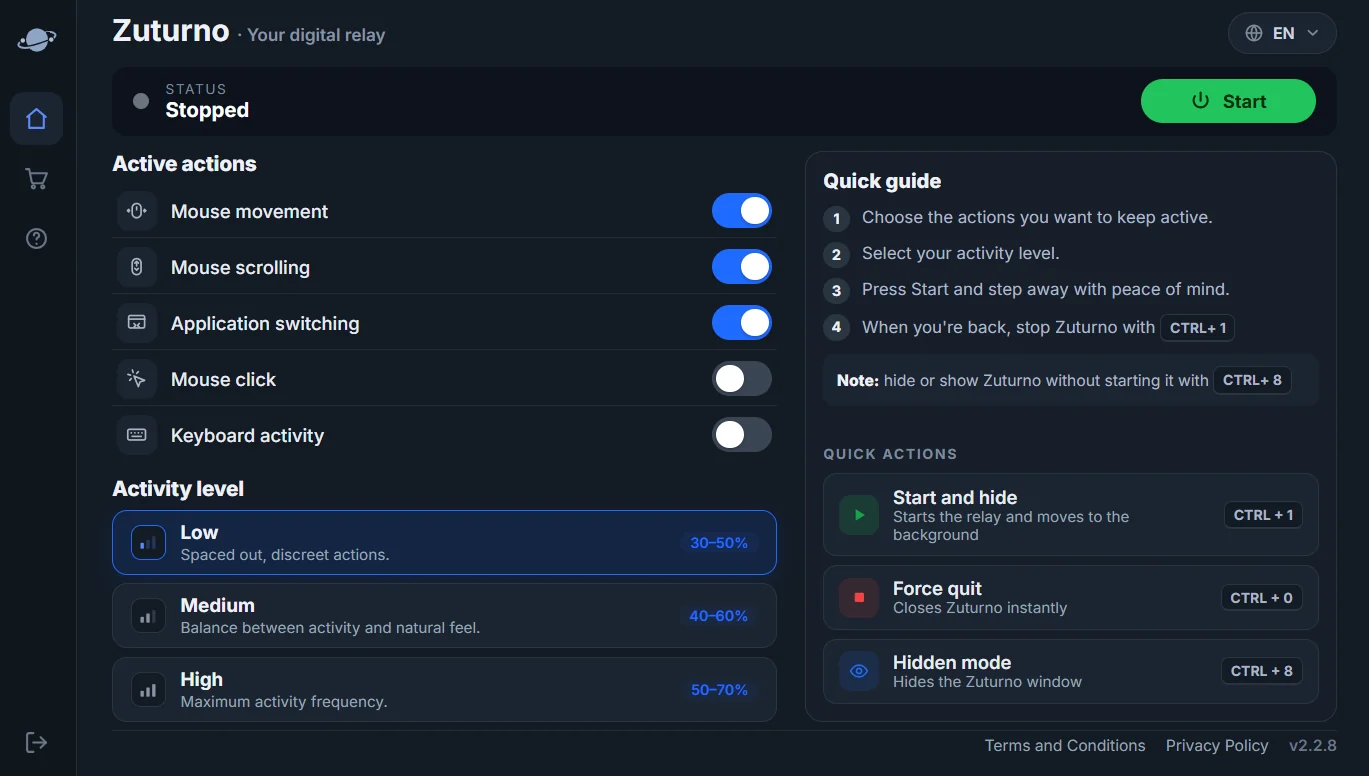
Zuturno: CTRL + 1 (⌘ + 1 on Mac) starts or stops it, and CTRL + 0 (⌘ + 0) quits it instantly.
6. Is it allowed where you'll use it?
Safe for your computer isn't the same as allowed at work. On a company computer, check your contract and IT policy first. See Can a mouse jiggler be detected?.
FAQ
Can a mouse jiggler be a virus?
A legitimate one isn't, but malware can be disguised as any free utility. Download only from the official site or an official store.
Why does a jiggler need Accessibility permission on Mac?
macOS requires it for any app that generates mouse or keyboard events. Without it, the app can't simulate activity.
Does Zuturno record what I type?
No. It doesn't record or send your keystrokes, screen, browsing or files.