
Mouse Jiggler and Move Mouse alternatives for Windows
Mouse Jiggler (free, open source) and Move Mouse (free) are two of the best-known ways to keep a Windows PC from going idle. If they don't do what you need, here are the alternatives, starting with the free ones. The right choice depends on one question: do you need the PC to stay awake, or to register activity?
At a glance
| Tool | Cost | What it does | Good for |
|---|---|---|---|
| Windows settings | Free, built in | Turns off sleep and screen-off | A PC that should never sleep |
| PowerToys Awake | Free, from Microsoft | Keeps the PC awake on demand, no input | Downloads, renders, presentations |
| Caffeine (Zhorn Software) | Free | Simulates a key press about once a minute | Simple "don't go idle" |
| Mouse Jiggler | Free, open source | Nudges the cursor at an interval | Moving the cursor only |
| Move Mouse | Free | Moves the mouse, with options and schedules | More control over cursor movement |
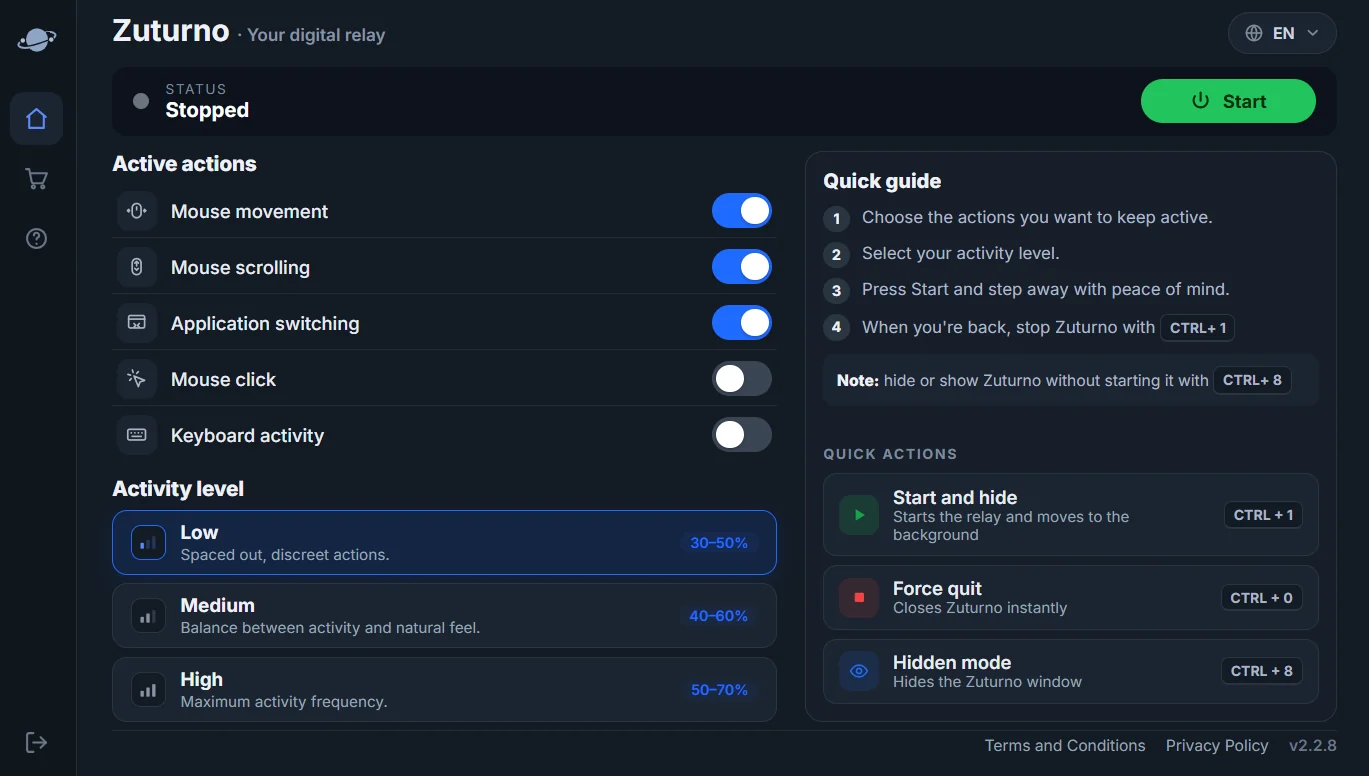
| Zuturno | Paid, 7-day free trial | Mouse, scroll, clicks, app switching and keyboard activity, three levels, shortcuts | Several kinds of activity, same app on Windows and Mac |
If you only need the PC to stay awake
You don't need a jiggler. Change the Screen, sleep, & hibernate timeouts in Windows Settings, or use PowerToys Awake when you need it. Our guide How to stop Windows 11 from sleeping or locking the screen walks through each setting.
If you need the PC to register activity
Mouse Jiggler, Move Mouse and Caffeine generate input, so the time since your last input resets. They're free and work well for simple needs. Choose a configurable app like Zuturno if you want:
- several kinds of activity (scrolling, clicks, app switching, keyboard), not just the cursor;
- an activity level you can adjust, and start, hide or stop with one shortcut;
- the same app on Windows and Mac.
If a free tool already covers what you need, use it. Paying only makes sense if you need more.
Use it responsibly
Any of these tools is for your own computer and your own workflow. On a work computer, check your contract and company policy first, and don't use any tool to report work you didn't do. See Can a mouse jiggler be detected? for what companies can see.
FAQ
What's the best free alternative to Mouse Jiggler?
It depends on the need. For staying awake, PowerToys Awake. For simple activity, Move Mouse or Caffeine.
Is there a Mouse Jiggler for Mac?
Mouse Jiggler and Move Mouse are Windows apps. On Mac, see How to stop your Mac from sleeping for free options, or Zuturno for Mac.
Why pay for a mouse jiggler?
Only if you need more than cursor movement: several kinds of activity, adjustable levels or one app on both Windows and Mac.