
Apps that keep your computer active on both Windows and Mac
Most tools that stop a computer from sleeping or going idle are built for one system: PowerToys Awake and Move Mouse are Windows-only, Amphetamine and KeepingYouAwake are Mac-only. If you use a Windows PC and a Mac, or switch between them, you either install two different tools or pick one that runs on both.
This page lists the options that run on both Windows and Mac, what each one actually does, and when you need which.
First: do you need "awake" or "active"?
There are two different jobs, and the right tool depends on which one you have:
- Keep the computer awake. The computer doesn't sleep and the screen doesn't turn off, but nothing generates mouse or keyboard input. Enough for long downloads, renders, backups and presentations.
- Keep the computer active. The tool generates input (mouse movement, clicks, scrolling or keys), so the time since your last input resets. You need this when something closes a session or marks you as away after a period without input, even though the computer is awake.
More detail: Keep your computer awake vs. simulate activity.
Options that run on Windows and Mac
| Tool | What it does | Windows | Mac | Cost |
|---|---|---|---|---|
Built-in settings (Windows power settings, macOS caffeinate) |
Keep awake | Yes | Yes | Free |
| Browser keep-awake extensions | Keep awake while the browser is open | Yes | Yes | Usually free |
| Parallels Toolbox (Do Not Sleep) | Keep awake, part of a paid utility suite | Yes | Yes | Paid subscription |
| Green Dotter | Mouse wiggle or clicks inside an area you choose | Yes | Yes | Free |
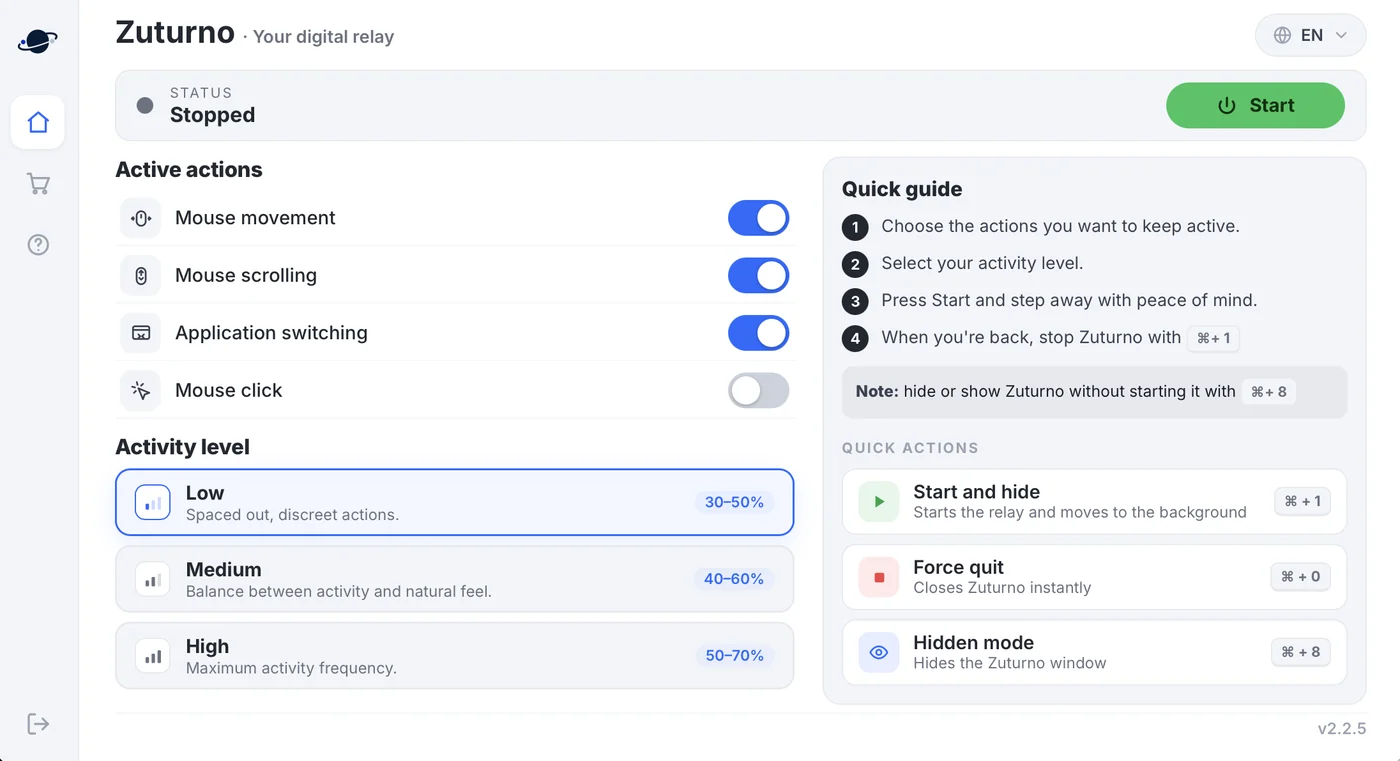
| Zuturno | Mouse movement, scrolling, clicks and app switching; keyboard activity on Windows | Yes | Yes | Paid, 7-day free trial |
Built-in settings
Both systems can stay awake without installing anything: on Windows, change the sleep and screen timers in Settings > System > Power; on Mac, run caffeinate in Terminal for as long as you need. They're free and reliable, but they only keep the computer awake. Guides: Windows 11 and Mac.
Browser keep-awake extensions
Extensions for Chrome and other browsers ask the system not to sleep while they're on. They work wherever the browser runs, but only while it's open, and they don't generate any input.
Parallels Toolbox
A paid suite of utilities for Windows and Mac. Its Do Not Sleep tool keeps the computer awake for a time you choose. It makes sense if you'd use the other tools in the suite too.
Green Dotter
A free app for Windows and Mac that moves the mouse or clicks inside an area of the screen you define, and pauses when you take back the mouse. A good fit if mouse activity is all you need.
Zuturno
A paid desktop app for Windows 10 and 11 and macOS 12 or later. It combines several kinds of activity (mouse movement, scrolling, clicks and app switching, plus keyboard activity on Windows), with three activity levels and a shortcut to start and stop it. It runs locally, and the plans cover one computer (Personal) or up to four (Pro). See Zuturno for Windows and Zuturno for Mac.
Which one should you pick?
- Your computer only needs to stay awake? Use the built-in settings or a free extension. No need to pay.
- You need mouse activity on both systems, for free? Green Dotter covers that.
- You want several kinds of activity, levels you can adjust and the same app on Windows and Mac? That's what Zuturno is for. Try the free options first if they already solve your problem.
Use it responsibly
These tools are for your own computer and your own workflow. If you work for a company or a client, check your contract and their policies before using any of them on work computers or accounts.
FAQ
Is there one app that keeps a computer active on both Windows and Mac?
Yes. Green Dotter (free) and Zuturno (paid) both run on Windows and Mac and generate mouse activity. Zuturno also scrolls, clicks and switches apps, and adds keyboard activity on Windows.
Is PowerToys Awake available for Mac?
No. PowerToys is a set of Windows utilities. On Mac, the usual free equivalents are Amphetamine, KeepingYouAwake or the built-in caffeinate command.
Do I need a paid app to keep my computer awake?
No. Both Windows and macOS can stay awake with built-in settings, and there are free tools. A paid app makes sense when you need simulated activity with more control.
Does Zuturno work the same on Windows and Mac?
Almost. On Windows it simulates mouse movement, scrolling, clicks, app switching and keyboard activity. On Mac it does the first four; keyboard activity is Windows-only.