
How to install Zuturno on Mac
Installing Zuturno on macOS takes a few minutes. You need a Mac with macOS 12 or later and an email address to receive your license. The steps and the video tutorial are below.
Video summary
The tutorial shows the installation on macOS. You choose a plan at zuturno.com (all start with a 7-day free trial) and complete checkout with Dodo Payments: during the trial the total is 0 and you can cancel before the first charge. Your license arrives by email. You download the .dmg for macOS, open it and drag the app (on the Mac it's called “Updater”) to the Applications folder. You open the app, paste your license, accept the terms and sign in. Then you choose the actions and the level, and press Start or Cmd+1. Narrated in Spanish.
1. Pick a plan and start the free trial
- At zuturno.com, choose Personal (one computer) or Pro (up to 4 computers).
- Payments are processed by Dodo Payments, our Merchant of Record. Type your email carefully: that's where your license arrives.
- Every plan starts with a 7-day free trial: the total today is 0 and you can cancel before the first charge.
2. Download and install the app
- Download the macOS installer from the download section. It's a .dmg file.
- Open it and drag the app to the Applications folder. On the Mac the app appears as Updater.
- The app is signed with an Apple Developer ID and notarized by Apple, so it opens without security warnings.
3. Grant the Accessibility permission
macOS only lets an app move the pointer if it has the Accessibility permission. Without it, Zuturno can't do anything.
- The first time you sign in, macOS shows an alert asking for the permission. Press the button to open Settings.
- In System Settings > Privacy & Security > Accessibility, turn on updater.
- If you missed the alert, Zuturno shows a message with an Open Settings button when you try to start it.
4. Sign in and get started
- Open the app, paste the license from your email, accept the terms and sign in.
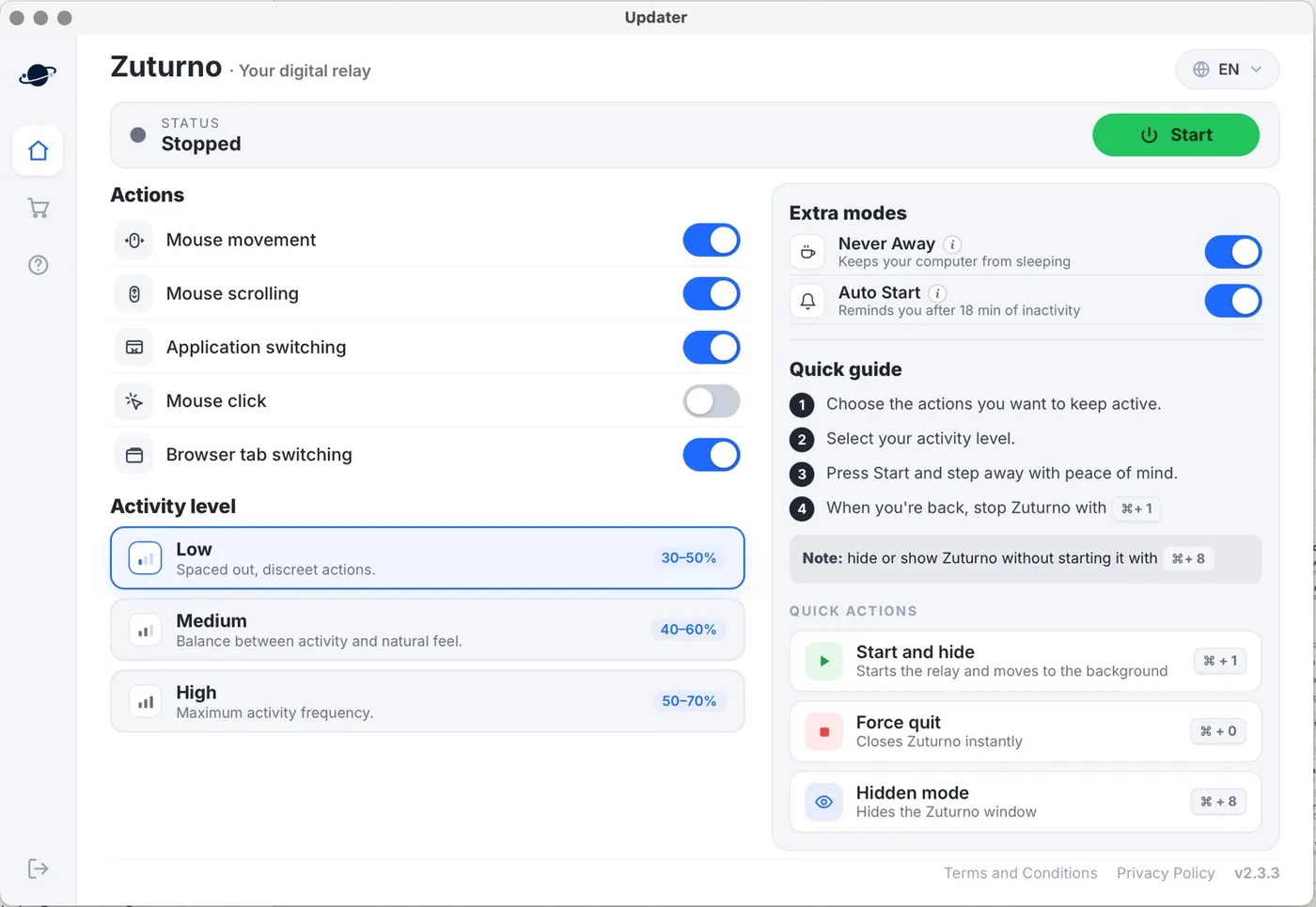
- In Actions, choose what to turn on: mouse movement, scrolling, clicks, app switching and browser tab switching (new in 2.3.3, off by default). There's no keyboard activity on Mac.
- Choose the activity level: low, medium or high.
- Press Start or use Cmd+1: Zuturno moves to the background. Press Cmd+1 again to stop it.
New in version 2.3.3: Browser tab switching (off by default; it also works with Safari), and the Extra modes section with Never Away, which keeps your Mac awake without moving the mouse, and Auto Start, which lets you know if Zuturno is stopped and your Mac has been idle for 18 minutes. The video shows an earlier version; see What's new.
You're responsible for how you use Zuturno: check your workplace rules before using it on a work computer.
FAQ
Why doesn't Zuturno move the mouse on my Mac?
It's almost always the Accessibility permission. Make sure updater is turned on in System Settings > Privacy & Security > Accessibility. If it already was and it doesn't work, remove it with the − button, open Zuturno again and grant the permission again.
Is Zuturno in the Mac App Store?
No. On Mac you download it from this website. It's signed and notarized by Apple.
What are the shortcuts on Mac?
Cmd+1 starts and stops Zuturno, Cmd+8 shows or hides the window without stopping it, and Cmd+0 closes it instantly.
Can I use the same license on another computer?
With the Personal plan, the license works on one computer at a time: if you enter it on a new one, the previous one is deactivated. The Pro plan allows up to 4. On Windows? See How to install Zuturno on Windows.