
How to get a reminder when your computer has been idle
You step away, come back, and realize you forgot something: to start a tool, to resume a timer, to come back to the screen at all. A reminder that fires when your computer has been idle for a while solves that. This guide explains how computers measure idle time and the options you have on Windows and Mac, free ones first.
How your computer knows it's idle
Windows and macOS count the time since your last mouse or keyboard input. Every click or key press resets that counter. Sleep timers, screen savers, chat apps that set you as "Away" and idle reminders all read the same counter, so a reminder can only know that nobody touched the mouse or keyboard, not what you were doing.
Windows: Task Scheduler's idle trigger (free, built in)
Task Scheduler can run a task when the computer becomes idle:
- Open Task Scheduler and choose Create Task.
- In Triggers, add a new trigger and choose On idle.
- In Conditions, set how long the computer has to be idle before the task starts.
- In Actions, choose the program or script to run, for example one that shows a message or plays a sound.
It's free and flexible, but it takes some setup, and Windows decides when the computer counts as idle, so the timing isn't exact.
Mac: automation tools
macOS doesn't have a built-in "when idle, remind me" option. Advanced users can do it with free automation tools such as Hammerspoon, which can read the system's idle time and show an alert. It requires writing a short script.
Break-reminder apps: the other direction
If what you want is a reminder while you're working, so you don't sit for hours without a pause, use a break-reminder app such as Stretchly (free and open source, for Windows, Mac and Linux). Stretchly can also notice when you've already been away from the computer and count it as a break. For ideas on what to do with the break, see How to take real breaks working from home.
Auto Start in Zuturno
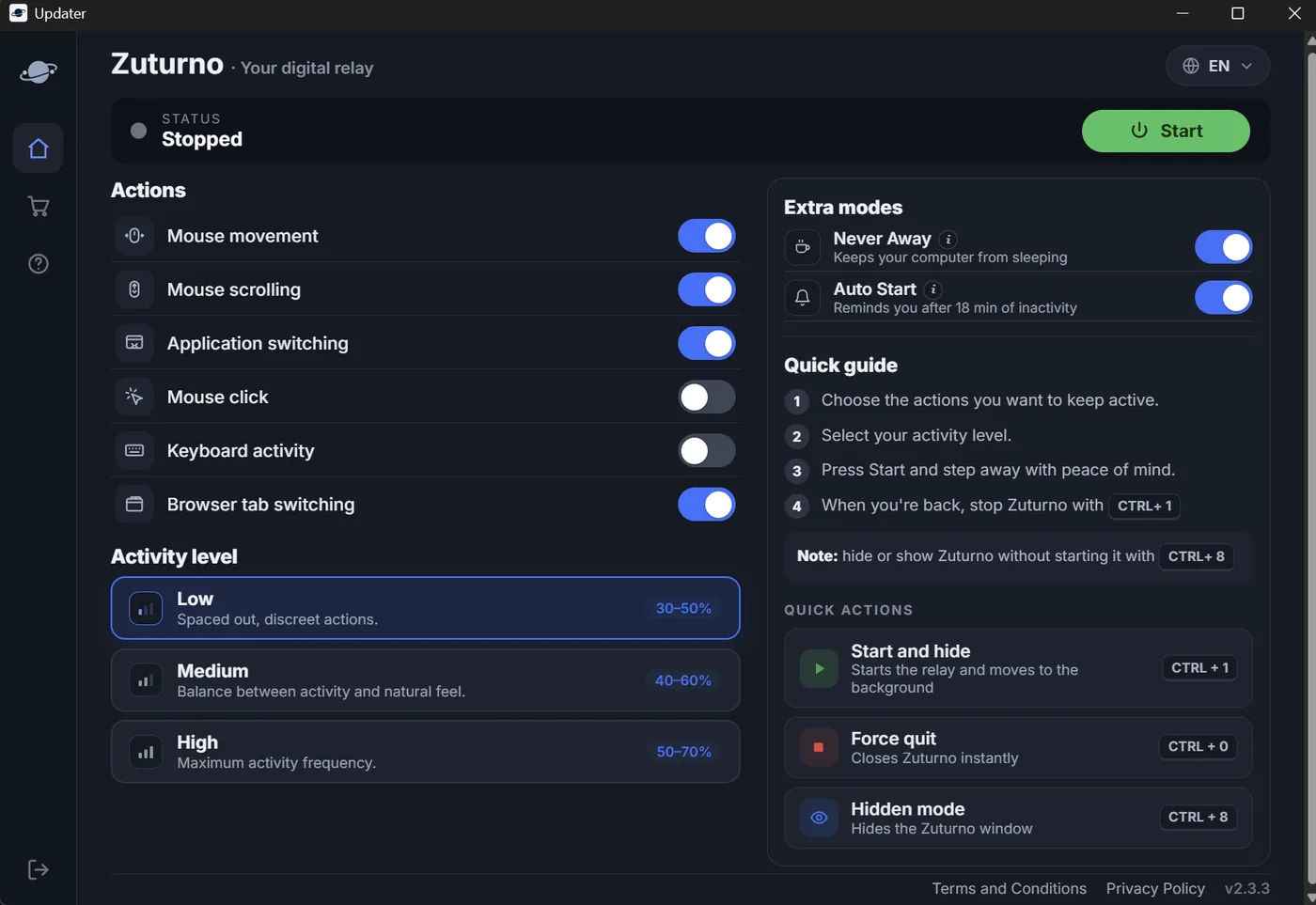
If you use Zuturno, the reminder you need is usually "you stepped away and Zuturno is off". Version 2.3.3 adds Auto Start in the Extra modes section:
- If Zuturno is stopped and your computer goes 18 minutes in a row without mouse or keyboard use, Zuturno shows its window again and lets you know, with a button to turn it back on in one click.
- It never starts on its own: you always decide.
- It doesn't alert you if you stopped Zuturno on purpose right before stepping away.
Auto Start is available on Windows and Mac. All the changes in this version are in What's new.
Use it responsibly
Reminders and activity tools are for your own computer and your own workflow. If you work for a company or a client, check your contract and their policies before using them on a work computer.
FAQ
Can Windows notify me when my PC has been idle?
Not with a simple setting, but Task Scheduler can run a task with the On idle trigger, and that task can show a message or play a sound.
Does an idle reminder work while the computer is asleep?
No. When the computer sleeps, apps stop running. If you want the reminder, the computer has to stay awake: change the sleep settings or use a keep-awake tool (how to keep it awake without moving the mouse).
Does Auto Start turn Zuturno on by itself?
No. It shows a notice with a button, and you decide whether to turn Zuturno back on.
Does Auto Start alert me while Zuturno is running?
No. It only alerts you when Zuturno is stopped and your computer has gone 18 minutes in a row without mouse or keyboard use.